
So far, this is the best result I have been able to achieve…
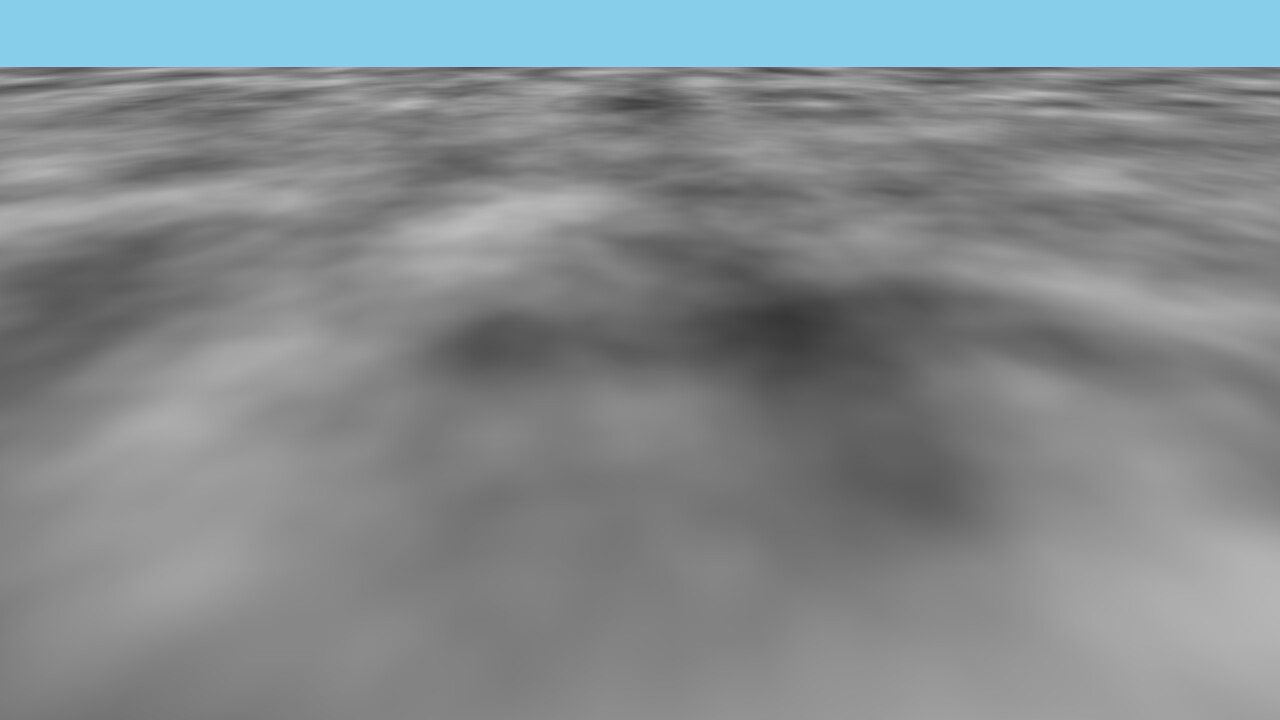
(Haxe 4.3.6, Away3D 5.0.9, OpenFl 9.5.0, Lime 8.3.0, Hxcpp 4.3.2)
It’s supposed to be an heightmap based terrain, with volumes of course, but it’s all flat. Of course. But it scrolls and displays the texture. I can’t go any further. If someone wants to try and figure out how to achieve the final step, here’s the code.
Project.xml
<?xml version="1.0" encoding="utf-8"?>
<project>
	<meta title="InfiniteTerrain" package="com.example.terrain" version="1.0.0" company="User" />
	<app main="Main" file="InfiniteTerrain" path="bin" />

	<window width="1280" height="720" fps="60" hardware="true" allow-high-dpi="true" />

	<source path="src" />
	<haxelib name="openfl" />
	<haxelib name="away3d" />

	<assets path="assets" rename="assets" />

    <!-- Required for Vertex Texture Fetch (sampling textures in vertex shader) -->
    <window profile="baselineExtended" />
</project>
Main.hx
package;

import away3d.containers.View3D;
import away3d.lights.DirectionalLight;
import away3d.materials.lightpickers.StaticLightPicker;
import away3d.textures.BitmapTexture;
import openfl.display.Sprite;
import openfl.events.Event;
import openfl.utils.Assets;
import openfl.display.BitmapData;
import openfl.geom.Vector3D;

class Main extends Sprite {
    private var _view:View3D;
    private var _terrain:TerrainManager;

    public function new() {
        super();
        if (Assets.exists("assets/heightMap.jpg")) {
            Assets.loadBitmapData("assets/heightMap.jpg").onComplete(init);
        } else {
            // Fallback: Create a procedural green grid if file is missing
            var bmd = new BitmapData(512, 512, false, 0);
                bmd.perlinNoise(72, 72, 4, 12, true, true, 7, true);
            init(bmd);
        }
    }

    private function init(textureData:BitmapData):Void {
        _view = new View3D();
        _view.backgroundColor = 0x87CEEB;
        addChild(_view);

        _view.camera.lens.far = 250000;
        _view.camera.y = 6000;

        var light = new DirectionalLight(-0.5, -1, 0.5);
        light.ambient = 0.4;
        _view.scene.addChild(light);

        var lightPicker = new StaticLightPicker([light]);
        var texture = new BitmapTexture(textureData);

        _terrain = new TerrainManager(texture, lightPicker);
        _view.scene.addChild(_terrain.mesh);

        addEventListener(Event.ENTER_FRAME, onEnterFrame);
    }

    private function onEnterFrame(e:Event):Void {
        if (_view != null && _terrain != null) {
            // Continuous movement
            _view.camera.z += 100;

            // Update terrain using camera position
            _terrain.update(_view.camera.position);
            _view.render();
        }
    }
}
TerrainManager.hx
package;

import away3d.entities.Mesh;
import away3d.materials.TextureMaterial;
import away3d.materials.lightpickers.StaticLightPicker;
import away3d.primitives.PlaneGeometry;
import away3d.textures.BitmapTexture;
import away3d.bounds.BoundingSphere;
import openfl.geom.Vector3D;

class TerrainManager {
    public var mesh:Mesh;
    private var _method:VertexDisplacementMethod;
    private var _gridSize:Float = 150000;

    public function new(texture:BitmapTexture, lightPicker:StaticLightPicker) {
        // High density (200 segments) makes mountains look like your image
        var geometry = new PlaneGeometry(_gridSize, _gridSize, 200, 200);

        _method = new VertexDisplacementMethod(50000);

        var material = new TextureMaterial(texture);
        material.lightPicker = lightPicker;
        material.repeat = true;
        material.ambient = 0.5;
        material.addMethod(_method);

        mesh = new Mesh(geometry, material);
        mesh.bounds = new BoundingSphere();
        // Massively tall bounding box to never cull the volume
        mesh.bounds.fromExtremes(-200000, -100000, -200000, 200000, 100000, 200000);
    }

    public function update(cameraPos:Vector3D):Void {
        // Fix the mesh to the camera center. NO SNAPPING = NO JITTER.
        mesh.x = cameraPos.x;
        mesh.z = cameraPos.z;

        // Tell the shader where the camera is so it can offset the math
        _method.setCameraPosition(cameraPos.x, cameraPos.z);
    }
}
VertexDisplacementMethod.hx
package;

import away3d.materials.methods.EffectMethodBase;
import away3d.materials.methods.MethodVO;
import away3d.materials.compilation.ShaderRegisterCache;
import away3d.materials.compilation.ShaderRegisterElement;
import away3d.core.managers.Stage3DProxy;
import openfl.Vector;

class VertexDisplacementMethod extends EffectMethodBase {
    private var _camX:Float = 0;
    private var _camZ:Float = 0;
    private var _amplitude:Float;

    public function new(amplitude:Float = 40000) {
        super();
        _amplitude = amplitude;
    }

    public function setCameraPosition(x:Float, z:Float):Void {
        _camX = x;
        _camZ = z;
    }

    override public function initVO(vo:MethodVO):Void {
        vo.needsUV = true;
    }

    override public function activate(vo:MethodVO, stage3DProxy:Stage3DProxy):Void {
        var vIndex:Int = vo.vertexConstantsIndex;
        if (vIndex != -1) {
            var vData:Vector<Float> = vo.vertexData;
            // vcN: [CameraX, CameraZ, Amplitude, TextureScale]
            vData[vIndex] = _camX;
            vData[vIndex + 1] = _camZ;
            vData[vIndex + 2] = _amplitude;
            vData[vIndex + 3] = 0.000008; // Huge scale for large terrain

            // vcN+1: [Freq1, Freq2, Freq3, DetailPersistence]
            vData[vIndex + 4] = 0.0001;
            vData[vIndex + 5] = 0.0003;
            vData[vIndex + 6] = 0.0009;
            vData[vIndex + 7] = 0.45;
        }
    }

    override public function getVertexCode(vo:MethodVO, regCache:ShaderRegisterCache):String {
        var dataReg:ShaderRegisterElement = regCache.getFreeVertexConstant();
        var mathReg:ShaderRegisterElement = regCache.getFreeVertexConstant();
        vo.vertexConstantsIndex = dataReg.index * 4;

        var world:ShaderRegisterElement = regCache.getFreeVertexVectorTemp();
        var hReg:ShaderRegisterElement = regCache.getFreeVertexVectorTemp();
        var tReg:ShaderRegisterElement = regCache.getFreeVertexVectorTemp();

        var code:String = "";

        // 1. CALCULATE WORLD POS: Camera + Local
        code += "add " + world + ".x, vt0.x, " + dataReg + ".x \n";
        code += "add " + world + ".z, vt0.z, " + dataReg + ".y \n";

        // 2. PROJECT UVs: Makes the texture stay pinned to the world
        code += "mul v0.xy, " + world + ".xz, " + dataReg + ".w \n";

        // 3. FRACTAL MOUNTAINS (Ridged Noise Math)
        // Octave 1: Large Hills
        code += "mul " + tReg + ".xz, " + world + ".xz, " + mathReg + ".x \n";
        code += "sin " + hReg + ".x, " + tReg + ".x \n";
        code += "cos " + hReg + ".y, " + tReg + ".z \n";
        code += "mul " + hReg + ".z, " + hReg + ".x, " + hReg + ".y \n";
        code += "abs " + hReg + ".z, " + hReg + ".z \n"; // Sharp peaks

        // Octave 2: Ridges
        code += "mul " + tReg + ".xz, " + world + ".xz, " + mathReg + ".y \n";
        code += "sin " + tReg + ".x, " + tReg + ".x \n";
        code += "cos " + tReg + ".y, " + tReg + ".z \n";
        code += "mul " + tReg + ".x, " + tReg + ".x, " + tReg + ".y \n";
        code += "abs " + tReg + ".x, " + tReg + ".x \n";
        code += "mul " + tReg + ".x, " + tReg + ".x, " + mathReg + ".w \n"; // Apply persistence
        code += "add " + hReg + ".z, " + hReg + ".z, " + tReg + ".x \n";

        // 4. APPLY DISPLACEMENT
        code += "mul " + hReg + ".z, " + hReg + ".z, " + dataReg + ".z \n";
        code += "add vt0.y, vt0.y, " + hReg + ".z \n";

        return code;
    }

    override public function getFragmentCode(vo:MethodVO, regCache:ShaderRegisterCache, targetReg:ShaderRegisterElement):String {
        return "";
    }
}
Good luck.